


The map includes every place I saved—food/tapas, points of interest, and backup options—organized so I could decide quickly while walking around.
This is not a “best of” list. It’s a working map: places I researched, returned to, or kept as reliable fallbacks while I was out and about. You can open it so that it overlays your Google Maps app on your phone, or you can make a copy of the map (instructions below).
What’s Inside the Travel Map
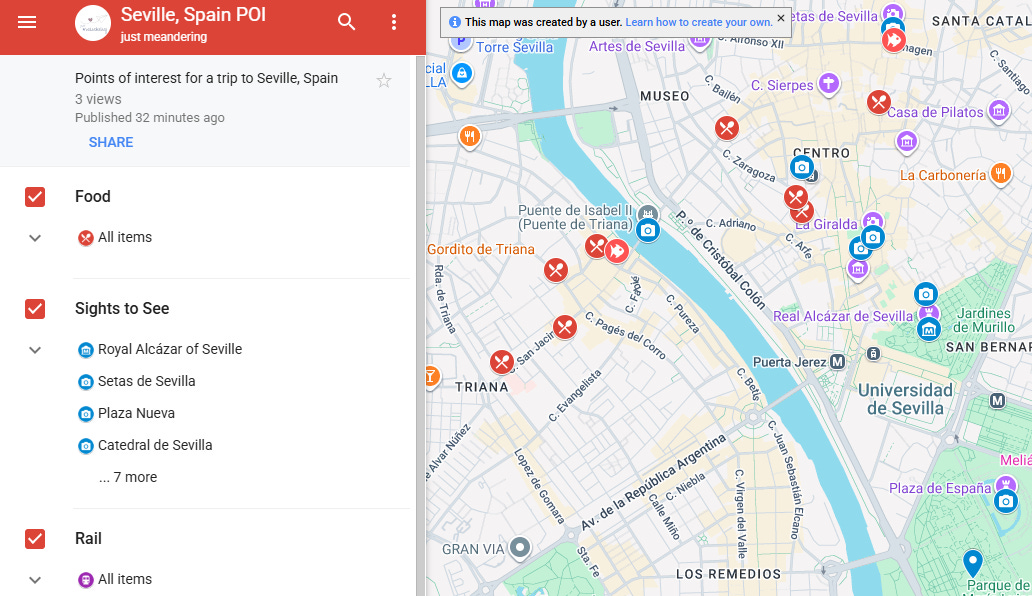
The map is organized into layers, so you can focus only on what you need:
Food: Restaurants, tapas bars, and places I bookmarked for meals or reliable standbys.
Sights to See: Landmarks, neighborhoods, viewpoints, museums, and places worth wandering past to at least take a photo
Rail : Train stations and key transit points I used or noted for getting around efficiently.

Link to my map here: Seville POI. If you want additional information, feel free to check out some of my other blog posts that will go through some of these locations in more detail:


Make a Copy of the Google Map
Feel free to make a copy of the Google Map for your own use. The instructions below are for either destop or an internet browser on your phone.
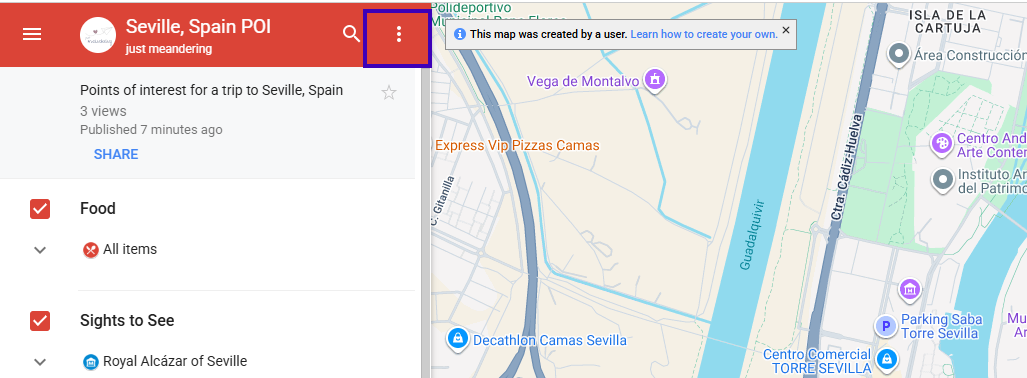
If you are on a phone, open the map on another tab on your browser. Then click on the title of the map (it was on the bottom of the screen on my iPhone).
Click on the three dots next to the title of the map. This is on the left banner on a desktop.
Select ‘Copy Map”
Rename the map and save it to your Google Drive.
Let me know if you find this helpful in the comments.