


The Hakuba Google Maps list includes every place I saved such as restaurants, points of interest, and backup options, organized so I could decide quickly while walking around. The Google Maps list can quickly sort things by distance so that you see what is closest to you.
This is not a “best of” list. It’s a working map: places I researched, returned to, or kept as reliable fallbacks while I was out and about. You can open it so that it overlays to the Google Maps app on your phone, and you can save the list to your account as well. If you’ve never used the Google Map Lists feature before, check out my post here which outlines some starter tips.
What’s Inside the Travel Map
The Google map list is organized with tags, so you can focus only on what you need when you click on a certain tag:
♨️ Onsen: my hotel already had one but I had bookmarked backups in case yours does not
🍜 Food: Restaurants, Izakayas, and places I ate at for meals or reliable standbys.
🚊Transit: Train stations and key transit points I used or noted for efficient travel.
☕️ Coffee & Bakeries: Coffee, tea and pastries
🍶 Bars & Wine: All izakayas can be considered drinking establishments but this is when the focus is on the drink more than the food
Worth Seeing: Landmarks, neighborhoods, viewpoints, street art, and other places worth wandering past to at least take a photo
👣Walks & Wanders: places to stroll or meander by
🛒 Shopping: convenience stores, clothing, drugstores
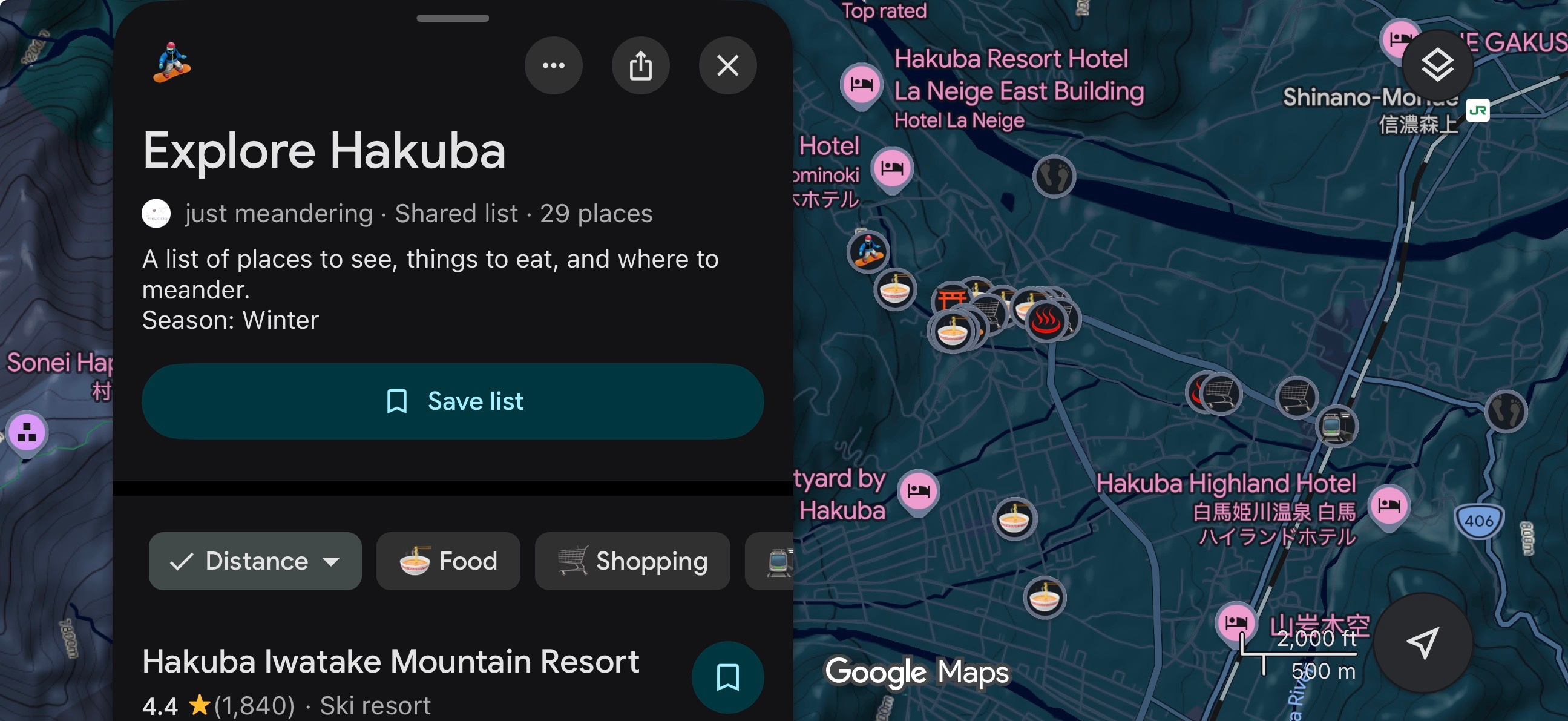
Link to my map here: Explore Hakuba. Note this map was made when I travelled in the winter of 2026.
If you want additional information, feel free to check out some of my other blog posts that will go through some of these locations in more:


Let me know if you find this helpful in the comments.